Project Management for Small Teams: A Simple Setup (2026) | The Collaborative Organization
By The Collaborative Organization Team · November 19, 2026 · Last verified November 19, 2026 · 9 min read
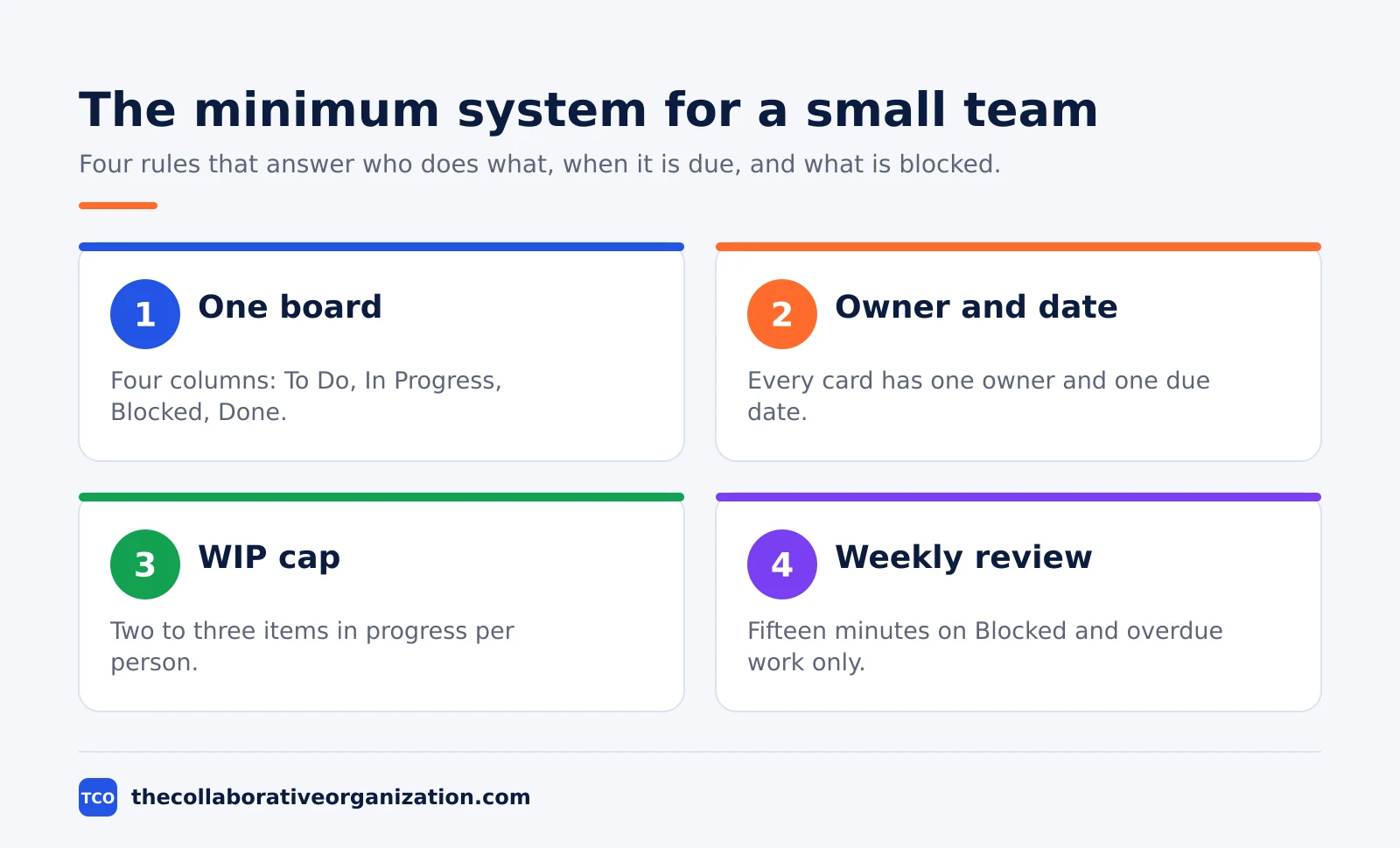
Project management for small teams means one shared board, one named owner per task, and a short weekly review. A team of 2 to 10 people does not need heavy process. It needs a clear goal, visible work, and a fixed moment each week to clear blocks.
Key takeaways
- A small team needs light structure, not no structure: one board, one owner per task, and one due date per task.
- Keep tasks small enough to finish in one or two days, so delays show up early instead of at the deadline.
- Cap work in progress at 2 to 3 items per person, and finish or unblock work before starting new work.
- A 15-minute weekly review of blocked and overdue work is enough for most small teams.
- Buy software only after ownership and dates work on a simple board, and pick the lightest tool that fits.
What project management for small teams means
Project management for small teams is a repeatable way to get work done without the overhead that slows down large firms. It covers the same ground as any project work: a goal, a list of tasks, owners, dates, and a way to check progress. The difference is weight. A small team keeps each of those parts as light as possible.
Project management in general moves work through five phases: initiation, planning, execution, monitoring and controlling, and closure. A small team still touches all five, but it does them in one page and one meeting instead of a binder of documents. The initiation phase becomes one success sentence, planning becomes a board, and monitoring becomes the weekly review.
One guide for small companies puts it plainly: small teams need structure more than anyone, because there is no buffer when a task slips. ONES notes that the structure must stay light, acting as guardrails rather than handcuffs. A missed task at a 200-person firm gets absorbed. The same slip on a five-person team can delay a client.
Why small teams need a different setup
Small teams fail in a different way from large ones, so they need a setup built for their size. A large team fails through slow handoffs and unclear decisions. A small team fails when one person is sick, one task has no owner, or everyone starts new work while old work sits half done.
The math is unforgiving. When a team has eight people, losing one person for a week cuts capacity by 12.5%, as TaskWith points out in its small-team guide. On a 200-person team the same absence barely registers. That is why the setup below protects capacity first: fewer tasks in flight, clear owners, and a fast way to spot blocks.
A small team also has one big edge: almost no coordination overhead. Five people in a room can align in a single sentence. The setup should protect that edge, not bury it under status reports and approval chains. If a process takes longer to run than the work it tracks, drop it.
Set up your system in 5 steps
You can set up a working small-team system in one afternoon, using five steps that need no paid tool. Start with the goal, break the work down, build the board, name owners, and set the review rhythm. Each step takes under an hour for a first project.
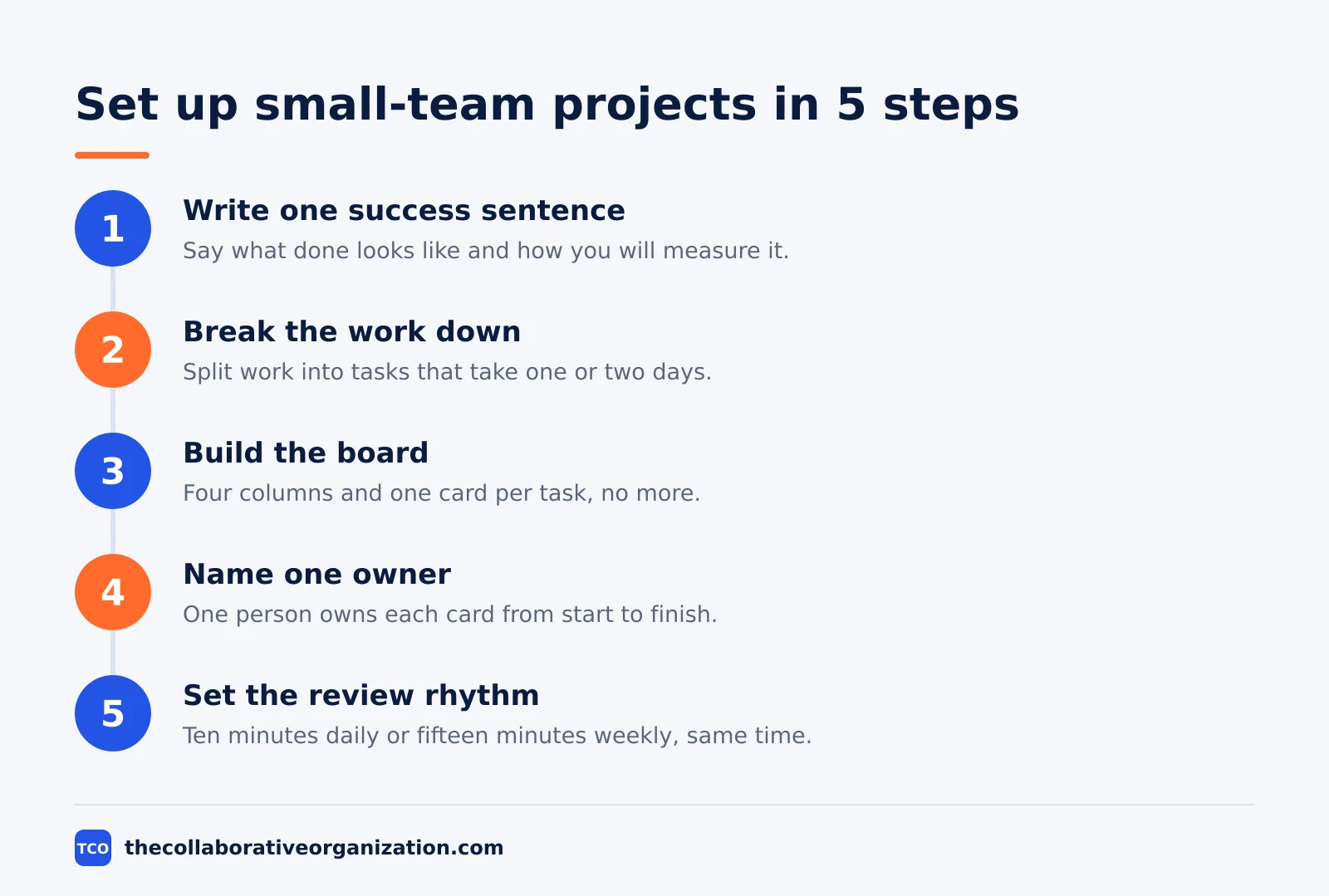
Step 1: Write one success sentence
Write a single sentence that says what “done” looks like and how you will measure it. A good example: deliver a full rebranding package for Client X by June 30 without going over 80 hours. If the team cannot repeat the goal in one breath, the project is not ready to start.
Step 2: Break the work into small tasks
List every task the project needs, then split any task that takes more than two days. Small tasks expose delays early, while a week-long task hides problems until it is too late to fix them easily. Aim for tasks one person can finish in a day or two.
Step 3: Build one board
Put the tasks on a board with four columns: To Do, In Progress, Blocked, and Done. A physical whiteboard works, and a digital board works better once people sit in different places. Our guide to setting up a Kanban board shows the column setup in detail.
Step 4: Name one owner per task
Put exactly one name on each card. Shared responsibility usually means no responsibility, and two names on one card means the work waits for someone else to move first. The owner does not have to do all the work alone, but that person answers for the result.
Step 5: Set the review rhythm
Pick one fixed slot each week, 15 minutes, same day and time. The review looks only at Blocked and overdue cards. Work that is on track gets no airtime. Add a 10-minute daily stand-up only when work changes fast enough to need it.
The weekly rhythm that keeps work moving
A small team stays on track with one weekly review and a visible board, not with daily status reports. The board shows the state of the work at any moment, so the meeting only has to deal with exceptions. That keeps the meeting short and useful.
Run the review in three moves. First, read the Blocked column top to bottom and clear each block or assign someone to clear it by a named day. Second, read overdue cards and agree on a new date or a smaller scope. Third, check the In Progress column against the WIP cap and move extra work back to To Do.
The “definition of done” belongs on the board too, written where everyone can see it. Our guide to creating a project plan explains how to set that test before work starts. A card moves to Done only when it meets that test.
End each project with a short review, not a long report. Ask three questions: what worked, what slowed us down, and what do we change next time. Write the answers down in one page and use them on the next project.
Worked example: a 6-person team ships a website
A six-person agency team can ship a client website in four weeks with one board and one weekly review. This is an illustration, not a real client story, and the numbers show how the setup holds up under normal pressure.
The team writes its success sentence first: launch the new site for Client X by Friday of week 4, inside 120 hours of work. They break the site into 24 tasks, each one or two days long: copy, design, build, test, and launch. Every task gets one owner and one due date on the board.
In week 2, the designer falls ill for three days. The board shows the cost: four design tasks sit in Blocked, and the build tasks behind them cannot start. The team moves two build tasks to next week and asks the client to approve copy early, so the copywriter starts the next page set. The launch date holds.
The lesson matches what Edunow advises for small teams: define the work intake, the owner, the due-date rule, and the weekly review before buying any tool. The tool matters less than the rhythm. When the team later picks software, it picks the lightest board that supports that rhythm.
Tools that fit a small team
A small team should pick the lightest tool that supports its board, and pay only when the free plan runs out. Start free, and move to a paid plan when the team hits a real limit, such as a board cap or a missing timeline view. Compare the options on our project management software shortlist before you commit.
| Tool | Best for | Free plan | Starting price (as of November 2026) | Notable limit |
|---|---|---|---|---|
| Asana | Cross-team work with timelines and owners | Free for 2 people | $10.99 per user per month (Starter), billed annually | Free plan covers 2 people |
| Trello | Simple boards a new user learns in minutes | Up to 10 collaborators and 10 boards | $5 per user per month (Standard), billed annually | No built-in dependencies |
| ClickUp | One workspace for tasks, docs and goals | Free Forever plan | $9 per user per month (Core), billed yearly | Paid plans charge per member |
| Wrike | Teams that want Gantt charts early | Free plan | $10 per user per month (Team), billed annually | Team plan caps at 15 users |
The Asana price comes from Asana pricing: Starter is $10.99 per user per month when billed annually, and the Personal plan is free for 2 users.
The ClickUp price comes from ClickUp pricing: Core is $9 per user per month billed yearly, and the Free Forever plan includes unlimited tasks.
Trello Standard is $5 per user per month billed annually, with Premium at $10, according to an independent check of the vendor page in October 2026 by Pinateca.
Wrike Team is $10 per user per month billed annually for 2 to 15 users, according to an independent check of the vendor page in October 2026 by Seoraf.
Note that monday.com is left out of this table on purpose. Its pricing page showed no dollar figures when opened on 19 November 2026, only FAQ text, so no monday.com price is listed here. The page does confirm a free plan and an 18% discount for yearly billing.
Common project management mistakes for small teams to avoid
Most small-team projects fail in the same five ways, and each one has a cheap fix. Check this list at the weekly review until the fixes become habits.
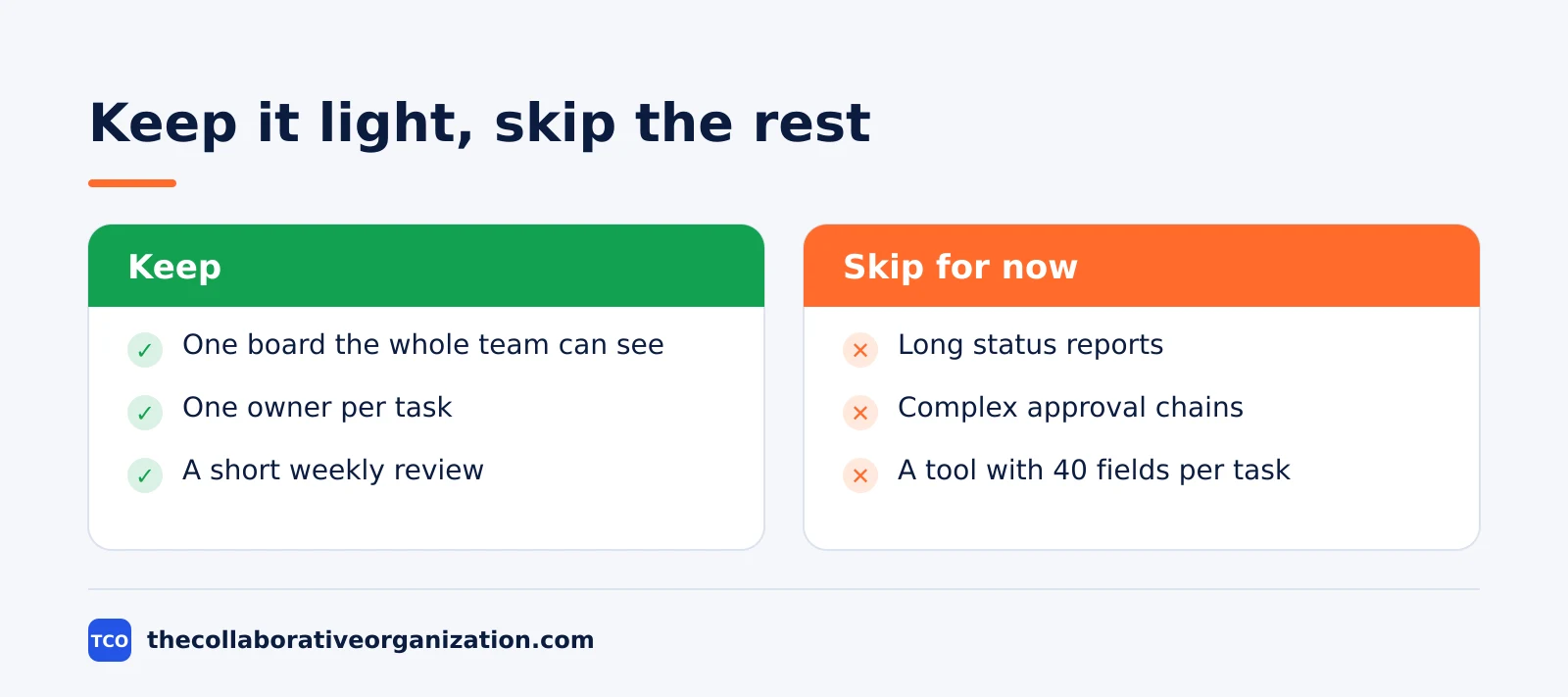
- No named owner. A card with no name waits for someone else to pick it up. Put one name on every card before the work starts.
- Tasks that take a week. A long task hides delays until the deadline is near. Split it into one- or two-day pieces.
- Too much work in progress. Starting five tasks and finishing none of them burns the week. Respect the WIP cap of 2 to 3 items per person.
- No fixed review. Without a weekly slot, blocks sit for days before anyone notices. Keep the same day and time each week.
- Buying a tool to fix unclear ownership. Software cannot name an owner or write a goal. Fix the goal, the owners and the dates first, then pick a tool.
Sources
- ONES - Project Management for Small Companies: Step-by-Step Guide (2026)
- TaskWith - Project Management for Small Teams: Less Process, More Shipping (2026)
- BusinessToMark - Project Management Best Practices for Small Teams (2026)
- Edunow - Best Project Management Setup for Small Teams and Tech Startups (2026)
- Asana - Pricing (2026)
- ClickUp - Pricing (2026)
- Pinateca - Trello Pricing (2026)
- Seoraf - Wrike Pricing 2026 (2026)
- monday.com - Pricing (2026)
Frequently asked questions
What is the simplest project management setup for a small team?
One shared board with four columns, one owner and one due date on every card, and a 15-minute weekly review. That setup answers who does what, when it is due, and what is blocked. Add a written goal for each project and a cap on work in progress, and most teams of 2 to 10 people need nothing more to start.
How many people count as a small team for project management?
Most guides treat 2 to 10 people as a small team, and the setup in this article works well up to about 15 people. Past that point, one board and one weekly review start to strain, because a single absence or a single blocked task affects a bigger share of the work. Split the work into two boards or add a team lead at that size.
Do small teams need project management software?
Not at first. A physical whiteboard or a free board tool works until the team outgrows it, usually when work spans more than one project or people work in different places. Buy software when cards get lost, owners forget dates, or nobody can see what is blocked. Fix ownership and dates first, because no tool fixes unclear ownership.
How often should a small team meet about a project?
Once a week for 15 to 30 minutes is enough for most small teams, plus a 10-minute daily stand-up only when work changes fast. The weekly review looks at blocked and overdue work, not at everything on track. Keep the same day and time each week so the meeting becomes a habit instead of a negotiation.
What is a WIP cap and why does it help a small team?
A WIP cap limits how many tasks sit in progress at once, usually 2 to 3 per person. It stops the team from starting five things and finishing none of them. When the cap is full, the team finishes or unblocks work before starting anything new, which keeps work flowing instead of piling up half done.
Related articles

project management
How to Choose Project Management Software (2026)
Pick project management software in seven steps: define the work, count seats, price the real cost, and run a two-week pilot before you pay.
November 19, 2026 · 10 min read

project management
What Is a RACI Matrix? Definition, Roles and Examples (2026)
A RACI matrix maps who is Responsible, Accountable, Consulted and Informed for each task. Learn the four roles, how to build one, and see a worked example.
November 19, 2026 · 9 min read

project management
Daily Standup Meeting Format That Works (2026)
A daily standup is a 15-minute meeting where Developers inspect progress toward the Sprint Goal and plan the next day. Use this format to run one that ends on time.
November 19, 2026 · 10 min read